June 16th, 2016
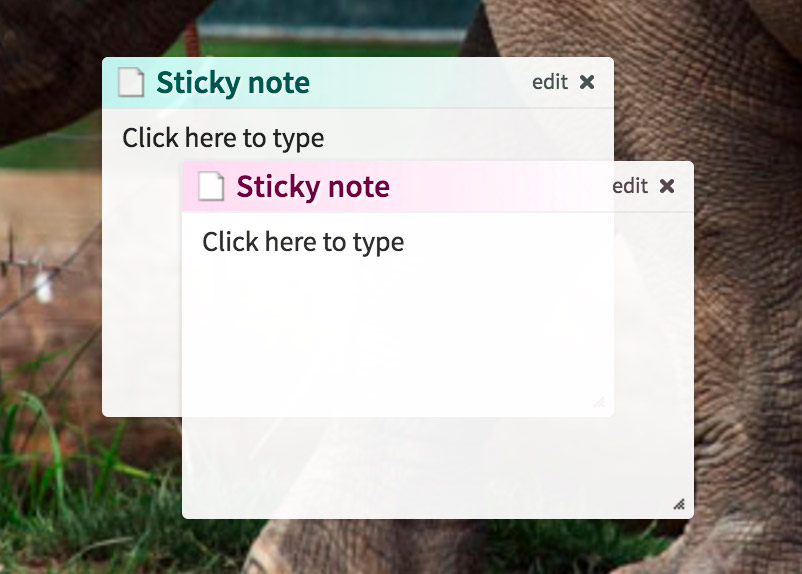
By popular demand, we now support configurable widget ‘transparency’. This can be configured via the Colors/Settings button at the top of your Protopage.
We’ve also updated our list of wallpapers with nearly 100 new options, now in retina quality. (Mac Chrome users only – please note that the current version of Chrome has a bug that prevents scrolling through the options. This has been fixed by Google, but it will be a few weeks before they release a new version of Chrome with the fix).
For users of our Twitter widgets – we’ve updated the widget to allow easier access to the permalink of each Tweet. Protopage’s Twitter widgets are a great way to monitor multiple feeds and Twitter search terms. They give you the ‘full feed’, which means that instead of only seeing each user’s popular tweets (as the official Twitter app often does), you’ll see every single tweet from each user so you’ll never miss anything important.
Posted in uncategorized | 4 Comments »
October 17th, 2015
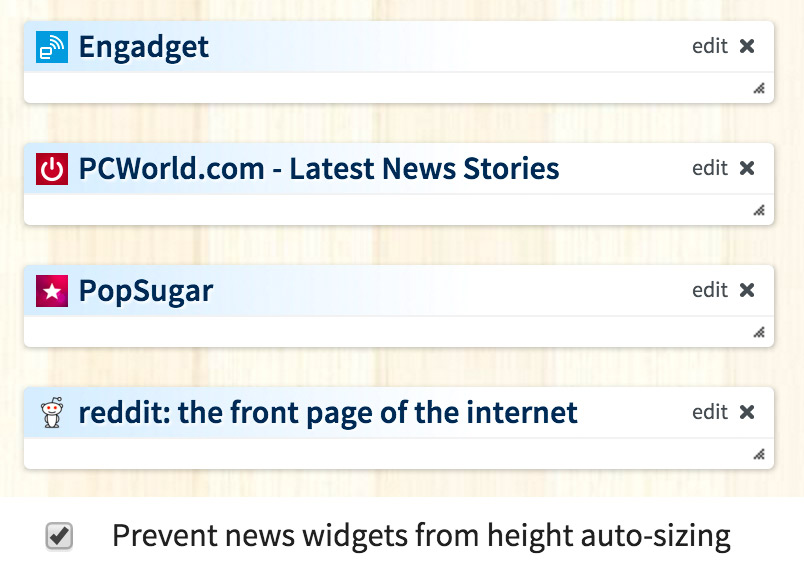
News and twitter widgets will now automatically resize so that all of their contents are visible (without internal scrollbars being required).
This is a particularly useful feature if you have the “News headlines appearance after being read” setting set to “Hidden”.
Autoresizing will not happen for any tabs that are in “free” positioning mode.
There is also a setting accessible in the Colors/Settings menu to disable all widget auto resizing (it is called “Prevent news widgets from height auto-sizing”).
Posted in new features | 3 Comments »
October 16th, 2015

We’ve added a new toolbar button to make it easy to mark all news feed widgets on your page as “read”. This will make it easy to see what is new when you return to your page later.
There is also a keyboard shortcut to do this. If you want to mark all widgets on your page as read, you can hold the left mouse button down in the empty space between any two widgets, and tap the “X” key. Every widget on the current tab in your Protopage will be marked as read. Tap the ‘S’ key while holding the mouse button down to mark all feeds on your page as ‘unread’.
If you’d prefer to mark only certain widgets as read, you can do this by holding the left mouse button down inside any news widget and tapping the “X” key on your keyboard (tap ‘S’ instead to mark it as ‘unread’).
Posted in uncategorized | 7 Comments »
September 20th, 2015

We’ve been making a series of user interface enhancements to fully support “Retina Displays”, such as those found on the new Apple Macs, and for those of you using 4k or 5k PC monitors.
Please let us know if any of these tweaks adversely affect the readability of your own Protopage, so that we can make any necessary fixes promptly.
Update: We’ve just added a new option to the Colors/Settings menu in Protopage. It’s called “Squeeze lines of text closer together”, and if you tick that checkbox you can now fit more headlines and bookmarks into your widgets.
The issues you may encounter are:
1. The new font we use is very slightly larger than the old font. Therefore, you may prefer to go to the Colors/Settings menu in Protopage to reduce the font size. Alternatively, on modern web browsers you can press Ctrl+ or Ctrl- (Cmd+ or Cmd- on Mac) to change your font size. We’ve also got a new feature in the Protopage Colors/Settings menu called “Squeeze lines of text closer togetherâ€.
2. If you use free widget positioning, the new font means your widgets may be slightly taller. Therefore all you need to do is nudge some of the widgets downward on your page so they are not too close together.
3. If you are using the Internet Explorer web browser, you may be using 5-10 year old web browser technology that struggles to display fonts as well as newer versions. Please upgrade to the latest Internet Explorer version for better performance and font display (search for “Upgrade to Internet Explorer 11” on Google). Alternatively, if you would consider switching to a different web browser, the best option that we would highly recommend is that you switch from Internet Explorer to Google Chrome (download from www.google.com/chrome).
We know that some of you are using corporate computers and are not allowed or able to upgrade to a modern web browser, and so we are still doing our best to ensure Protopage is as compatible as possible.
If you are using Microsoft Windows, it can make a dramatic improvement in font clarity if you enable “Microsoft ClearType”. For more information, depending on what version of Windows you are using, Google for e.g. “Windows 7 enable cleartype”.
Posted in new features | 18 Comments »
August 11th, 2015

It’s hard to believe – Protopage is now 10 years old! We launched way back in 2005, and became the most bookmarked web site in the world for several days running (as tracked by “Delicious”). We were also featured in one of the first ever posts written on a brand new “Web 2.0” blog called TechCrunch.com!
To celebrate, we’ve just released some major new features:
Universal headline import – You can now import news headlines from almost any web site. Previously, we only supported sites that used a technology called ‘RSS’. However, we’ve upgraded Protopage with a kind of ‘artificial intelligence’ that can now automatically detect and bring you headlines from almost any web site.
News feed search engine – Our new search feature means you no longer need to know the URL of the web site from which you would like to receive news headlines. Our new search box will do the work of searching the web and finding relevant news feed widgets for you. (Access the search from the ‘Add widgets’ button at the top of your Protopage).
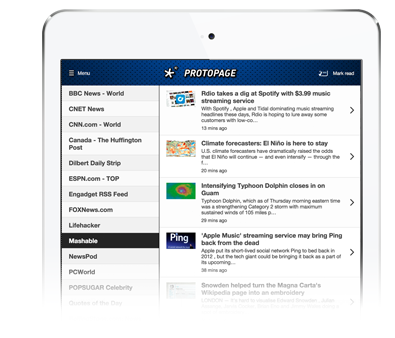
Protopage for iPad – We’ve developed a special iPad/tablet version of Protopage that will bring you all of your news feeds and podcasts in a much nicer interface tailored specifically for tablets. Access it by going to protopage.com/tablet from your iPad.
And more:
Protopage mobile improvements – we’ve spruced up the browsing experience for the smartphone version of Protopage (access it on your smartphone at protopage.com/mobile).
Full HTML5 compatibility – no more Adobe Flash required. This includes a new podcast player with 15 second audio skipping so that you can easily rewind and skip through longer podcasts.
Custom wallpaper upload – You can now directly upload photos from your computer to use as your Protopage background wallpaper. Access this feature by clicking the Colors/Settings button at the top of your Protopage.
Bookmarks A-Z sort – For those of you with large numbers of bookmarks, we have a new ‘sort’ feature accessible from the ‘edit’ menu of your bookmarks widgets.
And finally, here is what Protopage looked like when it was featured on BBC News back in 2005…

Posted in new features | 10 Comments »
May 26th, 2015
We’ve just completed a major upgrade to our RSS news feed indexing infrastructure, including a new “parsing engine”. This means that some non-standard news feeds that did not work before will most probably work now on your Protopage.

Posted in new features | 5 Comments »
April 28th, 2015
We’ve just updated our podcast player. It has a new feature that will allow you to skip forward or backward by 15 seconds, which is particularly useful when skipping through long podcasts. It will also run on modern browsers and tablets without needing to use the old “Adobe Flash” technology.

We’ve also fixed some timezone bugs with the weather widget, and by popular demand we are now reporting the high/low temperature for the current day.
Posted in new features | 2 Comments »
November 21st, 2014
We’ve just updated our Email Inbox widget. By popular demand, you now have the option to choose between displaying all emails or unread emails only. (Please note: existing Gmail users need to edit their widget settings change their inbox type from “Gmail legacy” to “Gmail” to enable this new option).
In addition, we’ve added easy options to set this widget up for those with Gmail, Yahoo, Outlook, Hotmail, Aol and iCloud accounts.

If you are using a different email provider, do a Google search for “IMAP settings” to find out how to configure this widget for your particualar provider. E.g. if you use FastMail, do a Google search for “Fastmail IMAP settings” to find the IMAP settings that you should configure your Email Inbox widget with.
Posted in new features | 7 Comments »
October 4th, 2014
We’ve just released a brand new stock quotes widget to replace the old Yahoo Finance widget.
Click the ‘edit’ button to enter your own list of stocks.

Posted in new features | 11 Comments »
October 4th, 2014
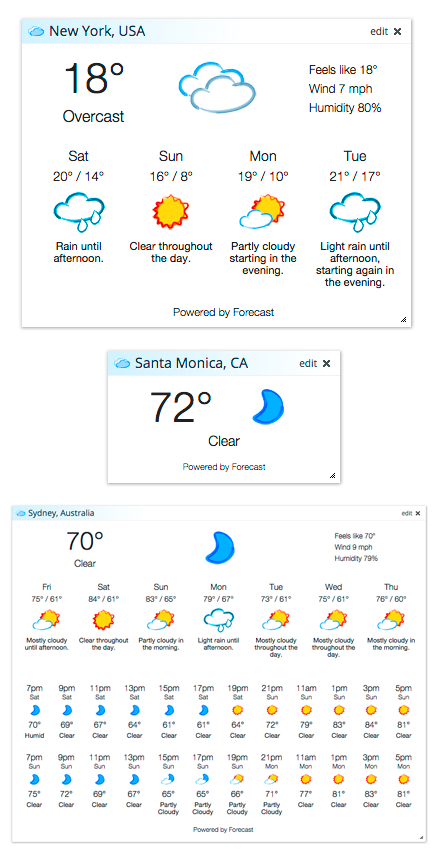
We’ve just released a brand new weather widget to replace the old Accuweather weather widget.
Be sure to click the ‘edit’ button on your weather widgets to try the new 4-day, 7-day and hourly forecast modes. Enjoy!
Posted in new features | 12 Comments »

