We’ve been doing a spring clean of some parts of the Protopage interface. This is part of an ongoing process to keep evolving Protopage. Our codebase is complex, so it’s possible we may have accidentally introduced bugs or visual glitches, so please contact us if you’ve noticed that anything that isn’t quite right. Thanks!
We’re now in the age of AI, which means you only need to know plain English in order to be a programmer.
In this tutorial, we’ll show you how to create your own widget that lets you convert between Celsius and Fahrenheit.
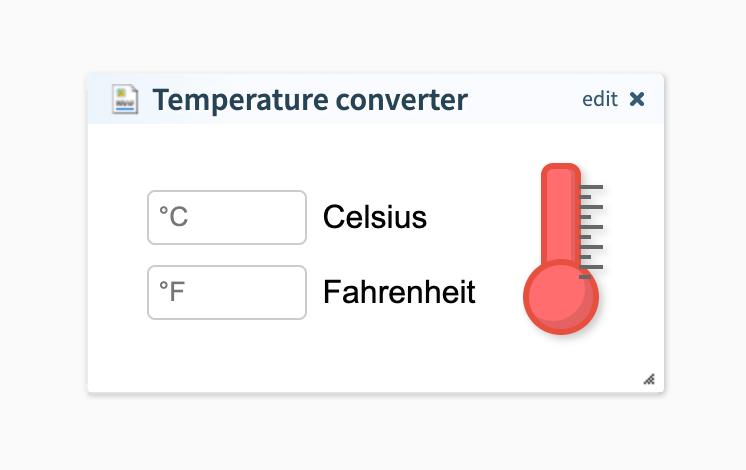
Here is the end result:
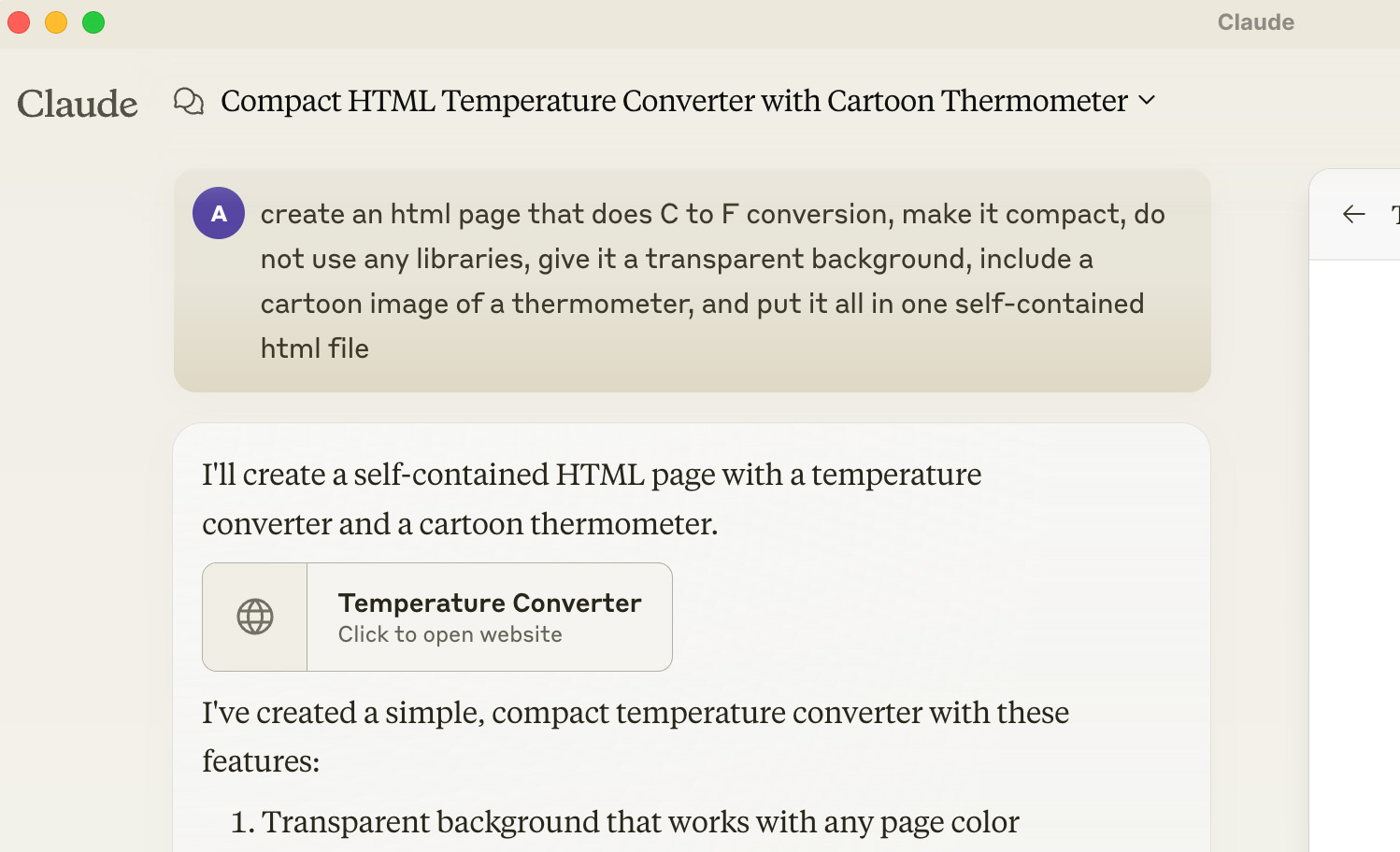
To create this, we first signed up for Claude.ai. You can also use other AI services such as ChatGPT.
Then, we gave the AI the following instructions:
“create an html page that does C to F conversion, make it compact, do not use any libraries, give it a transparent background, include a cartoon image of a thermometer, and put it all in one self-contained html file”
The most important part is that we asked it to provide a “self-contained html file” and to “not use any libraries”. This means that the result can easily be copied and pasted into a “Web widget code” widget on your Protopage.
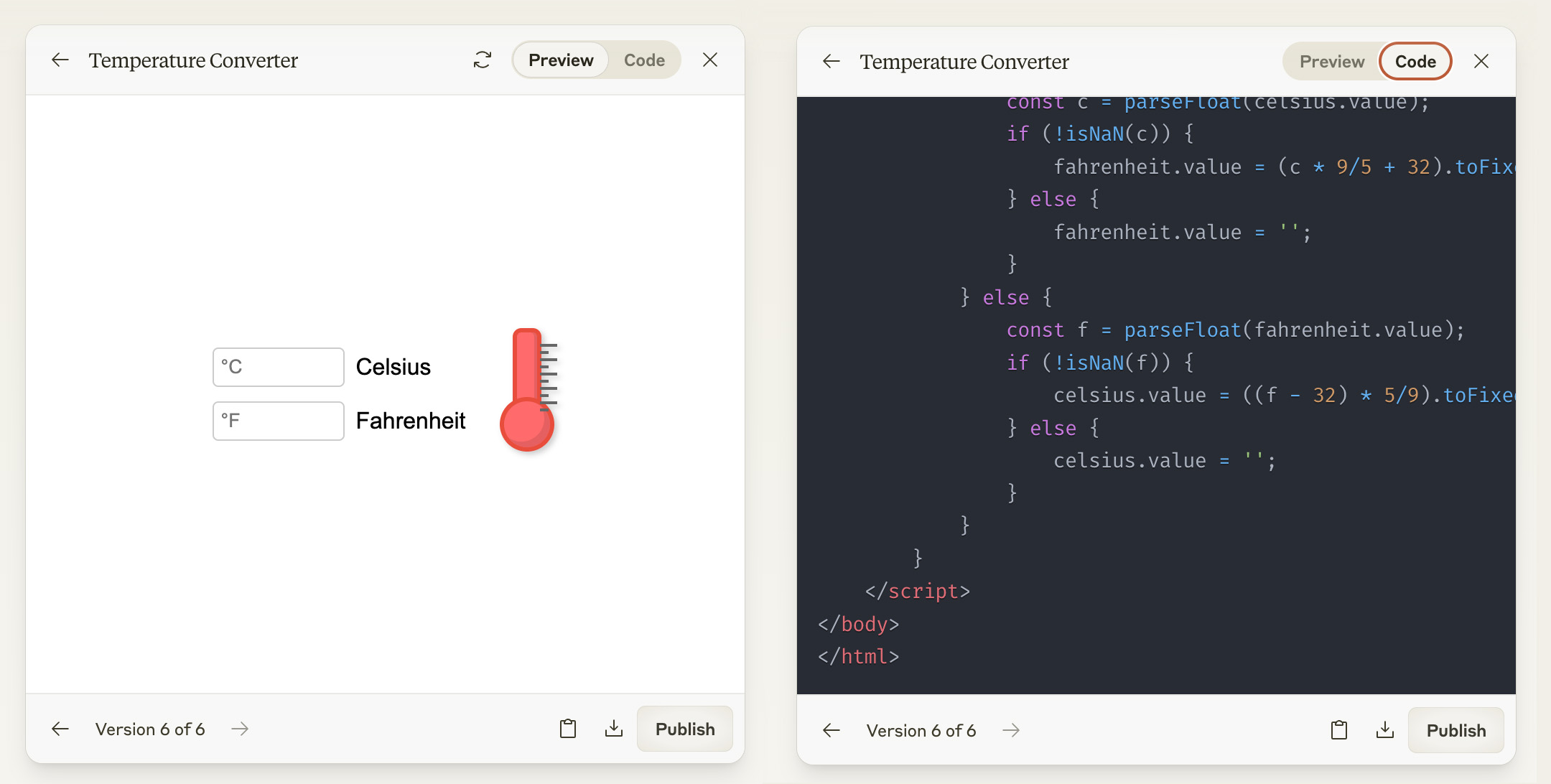
Here is what the AI generated:
AI can be unpredictable, and so if you don’t get exactly what you’re looking for, you can simply ask the AI to keep making changes until it looks the way you want it to.
For example, you may need to ask the AI to use a different thermometer image, to vertically align the text-entry boxes, to change the background color to white, or to use smaller or larger text sizes. You will probably need to spend several minutes experimenting.
After it looks good inside the AI web page, copy the HTML it generates to your computer’s clipboard. Then, click the Add Widgets menu at the top of your Protopage, and choose Web widget code.
After dragging this widget to your page, click edit on your Web widget code widget, and paste in the HTML provided by the AI. Give the widget a title, save it, and you’re done!
Note that due to browser security limitations, it’s normally not possible for you to paste in HTML which contains code that communicates with a third-party web site. For example, it would not be possible to ask it to connect to BBC News and show you the latest headlines.
However, there are lots of types of self-contained widgets you can create that don’t need to communicate externally. Ideas include displaying a countdown to a future date, an animation, or even a simple game like Tic Tac Toe.
Update: July 27, 2023: Twitter have changed the way that their widgets work. You will only see the latest tweets inside the widget if you are also logged in to Twitter in the same web browser. If you are not logged in to Twitter, you will see only the most-liked tweets of a particular user inside the widget.
We’ve just upgraded our Twitter widgets to use Twitter’s fully-featured embeddable content. You will now see more information associated with each tweet, such follower counts, like counts and links to comment threads. Twitter have recently discontinued the ability to freely access their API to perform searches, so our old “Twitter search” widget is no longer available.
We’re always upgrading and monitoring our ability to extract a large variety of content feeds. This includes automatically detecting feeds from the Mastodon social network. Simply click the “Add widgets” button at the top of your Protopage, and paste any Mastodon URL into the “Add a news widget for any web site” box in the top left.
When you’re picking a color scheme (from the “Colors / Settings” button at the top of your Protopage), a new type of color picker is now available.
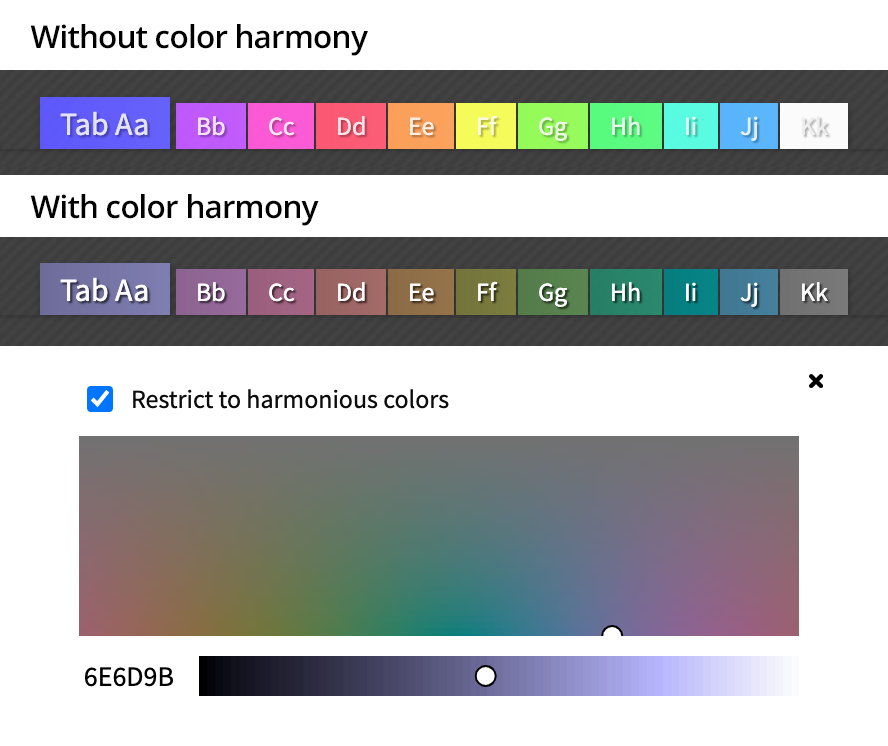
If the “Restrict to harmonious colors” option is not ticked, then you will be able to choose any possible color. This gives you the freedom to pick bright and vivid colors.
However, that freedom can come at the cost of text being unreadable on some hue variants of the color you have picked.
If you tick the “Restrict to harmonious colors” option, this will assist you in choosing colors where text is readable on all hue variants of that color.
This is particularly useful if you are making use of many different hues in order to color-code the tabs in your Protopage.
When you create a news feed widget for your Protopage (via the Add Widgets button), sometimes you may find that the headlines are not the ones you were expecting to see. This will often happen when there is a site-wide news feed available, but you just want the headlines from a certain page within a web site.
Protopage now detects if there is more than one news feed available for the web address you’ve specified. If it appears, click the “Alternative feed is available” link to see the other types of headlines available.
If you have installed any ‘browser extensions’ or ‘add-ons’, these can interfere with all web pages that you load in your web browser.
If your Protopage ever does not load properly, try disabling each extension or add-on to discover which one is interfering with the loading of your Protopage.
Even if the extensions were working before, they are updated all the time by their developers, so problems can be introduced at any time. Use an incognito/private browsing window (which will have no extensions enabled) to verify that you really can access your Protopage when extensions aren’t interfering.
We’ve recently had reports that the Microsoft Office extension for Google Chrome was interfering with many sites including Protopage. We figured out why their code was causing an issue, and we’ve just released a fix that detects similarly interfering extensions and prevents them from adversely affecting your Protopage.
We’ve been busy all year making dozens of improvements to Protopage, many of which are compatibility, security and performance related. This ensures Protopage always works with the latest browser updates, and that our servers are always running smoothly.
In particular, we’re continually working on our news feed indexing platform to make sure that we can reliably auto-detect and collect headlines from the widest possible variety of web sites. We’re now caching at least 50 headlines from each news feed. Note that if you have added a particular news feed for the first time, at first there may be only a few headlines available, but up to 50 past headlines will be archived from then on.
You can increase the number of headlines that display in a news widget by clicking the edit button on that widget. Displaying more headlines is useful if you want to catch up on the news and see many days of headlines all at once.
We also upgraded our Twitter indexing earlier this year, to be compatible with Twitter’s new 280-character tweet limit.
For iPad users: Apple released the iPadOS update in the last few months. The new Safari browser on iPad contained some that updates caused some glitches, which we’ve now completed making accommodations for.
It’s always been possible to configure the list of search buttons available on your Protopage’s search bar.
We’ve now made it easier for you to add your own search buttons, which only return Google search results from a particular web site. For example, in the screenshot above you can see custom search buttons that return results from Bloomberg.com, NYTimes.com and from the UK’s National Health Service site.
To use this feature, click the ≡ icon on the right hand side of your search bar to reveal the settings screen. Then look at the bottom of the search settings screen to see the new “Add a Google search box that only returns results from a particular web site” feature.
Posted in uncategorized|Comments Off on New custom search buttons
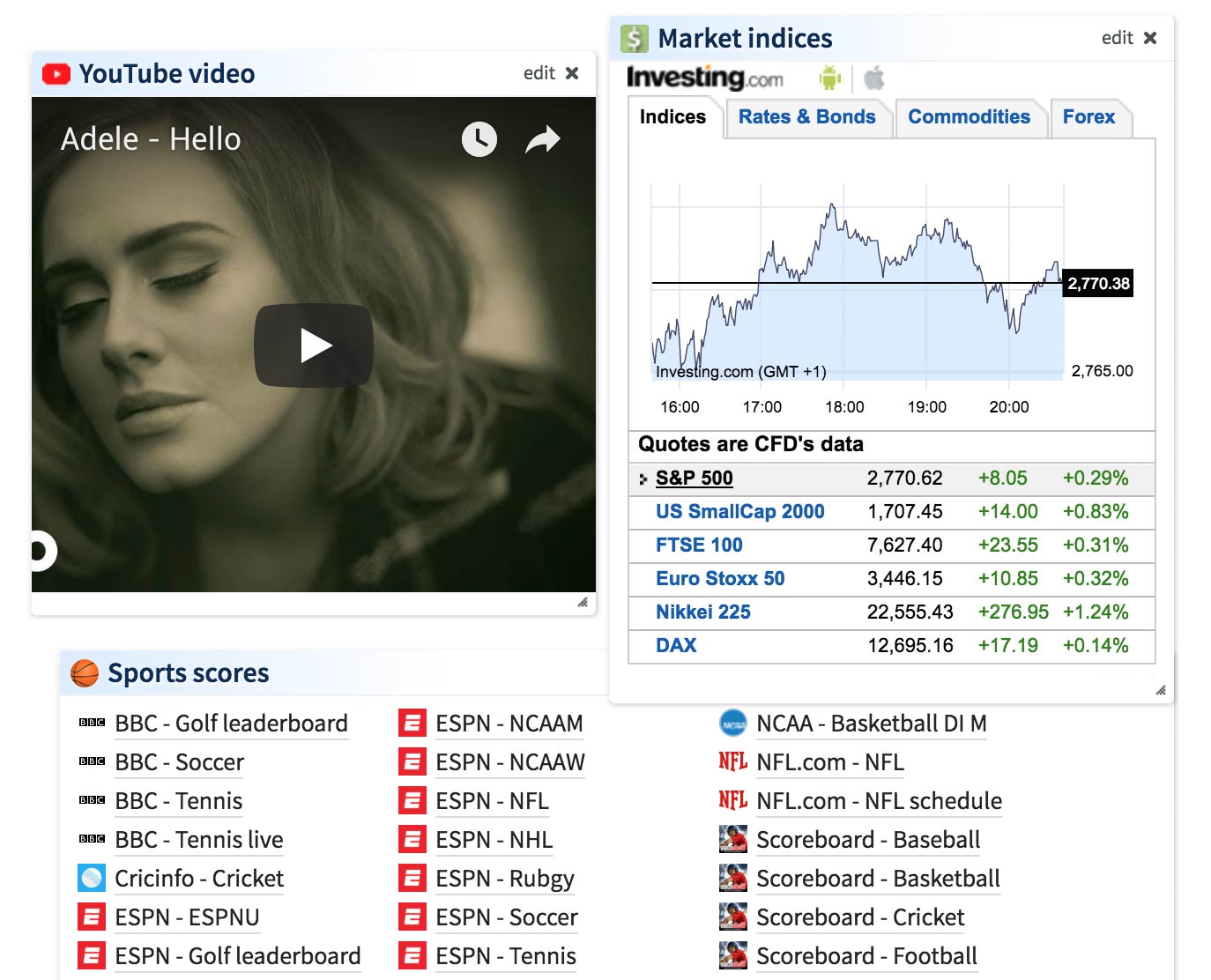
We’ve been listening to your suggestions, and have released three new widgets:
1. A YouTube widget, which makes it easy for you to embed a YouTube video into your Protopage
2. A market indices widget. We use a third party provider for our stock price widgets, because licensing the data feeds ourselves would be prohibitively expensive. The regular stocks widget is provided by a company called TradingView, which provides live stock data but not live market index data. Therefore we’ve launched a new widget from Investing.com which does provide live market indices.
3. We are often asked about providing live sports scores. Sports scores are astonishingly expensive to license, which is why we can’t provide them directly. Instead, we’ve provided a new sports scores widget which makes it easy (via the widget’s “edit” button) to configure the list of sports score sites you want quick access to.
All three widgets are available via the “Add widgets” menu.
Posted in uncategorized|Comments Off on New YouTube, Market Indices and Sports Scores widgets
A few people have recently asked about our backup procedures, to ensure that the contents of their Protopages are safe.
We have a dual layer backup mechanism in place. Firstly, we have continuous live backups of the Protopage databases through a process called ‘replication’. This means that if the main Protopage servers were to suddenly catastrophically fail, we can fall back to the live backup servers.
Secondly, we perform daily backups of the Protopage databases to a secure offsite backup storage provider. This means that even if the entire datacenter were to melt down and all Protopage servers failed, your Protopages are still safe. Offsite backups are encrypted using high strength AES-256 encryption, in order to keep the backups private.